Start designing ads that do more than just look good.
Download our free direct response design guide and start creating creatives that actively drive clicks, conversions, and revenue.
Download Our Free GuideThere is so much that goes into making beautiful designs. However, when it comes to ads, it takes more than just having an aesthetically pleasing design to get clicks. When it comes to ads, you should be designing with direct response in mind.
What does direct response mean?
Direct response refers to an action taken on your ad. Direct response ads should be designed with the goal of clicks in mind. There are certain design elements you can add and avoid to optimize the likelihood of your ad having a high CTR (Click-Through Rate).
Different advertising platforms have specific best practices, like Google ads vs social media ads. Here is a brief guide on best practices when it comes to designing for direct response that can be applied to PMAX, Discovery, and Meta ads.
Creating an optimal ad for direct response can be broken down into 5 steps:
- Branding
- Image Selection
- Text on Image
- Graphic Elements & Colour
- A/B Testing
1. Branding
Whether you’re a freelance graphic designer or work at a brand or an agency, it’s important to understand the brand and the audience. Reinforcing a brand’s image is important in making your content recognizable to audiences, so adhere to the brand guidelines.
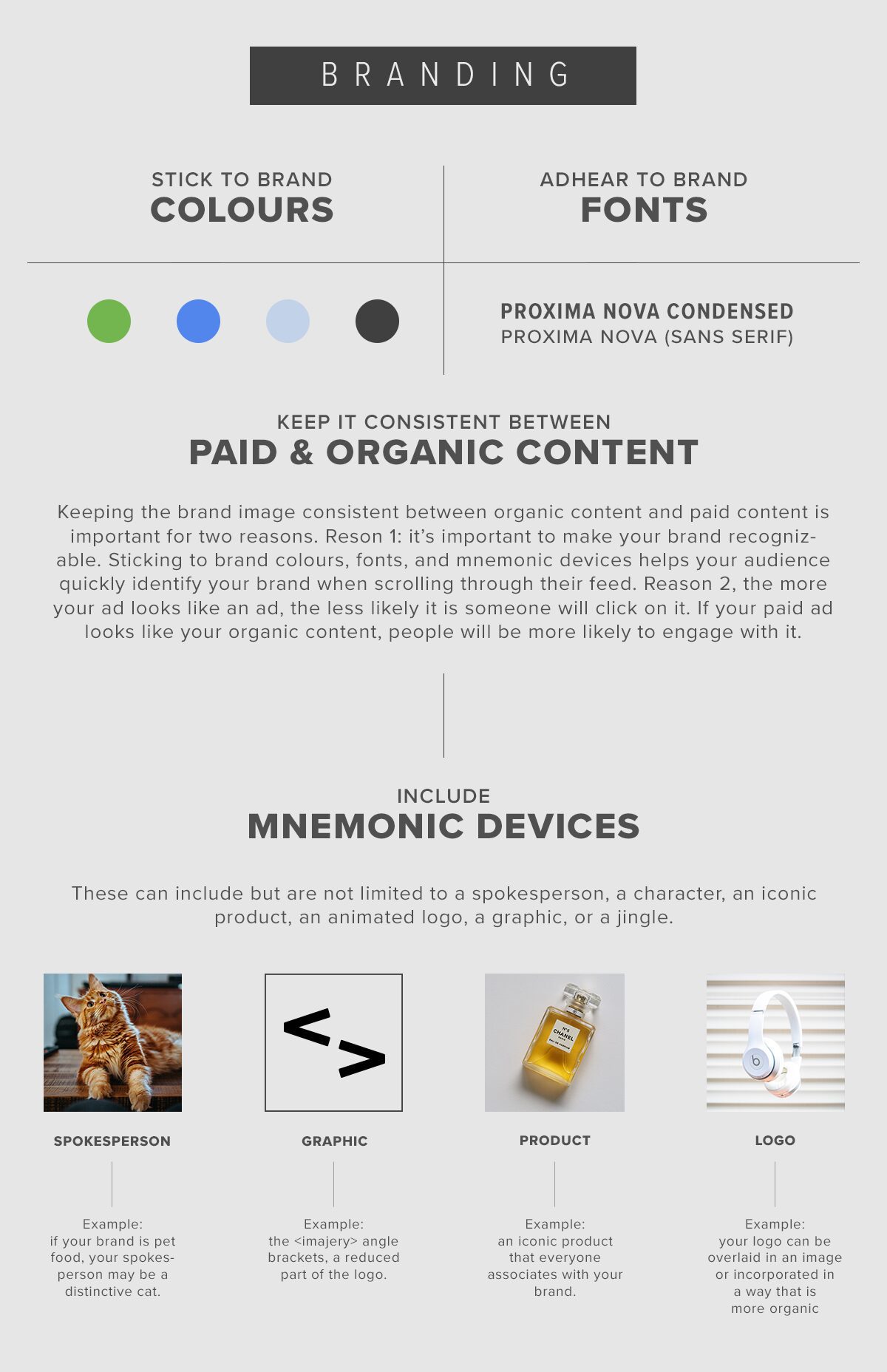
Branding Design Guide
2. Image Selection
The next step is to choose an image (or images) for your creative ads. Don’t just choose your favourite image from the bunch. Make sure your image choice checks off these boxes:
If you’re working on a PMAX or Discovery image campaign, you will likely need to make the same image fit in landscape, vertical, and square formats. You might love a panoramic image, but if it doesn’t look good in all the specs, it’s not the best image for this campaign.
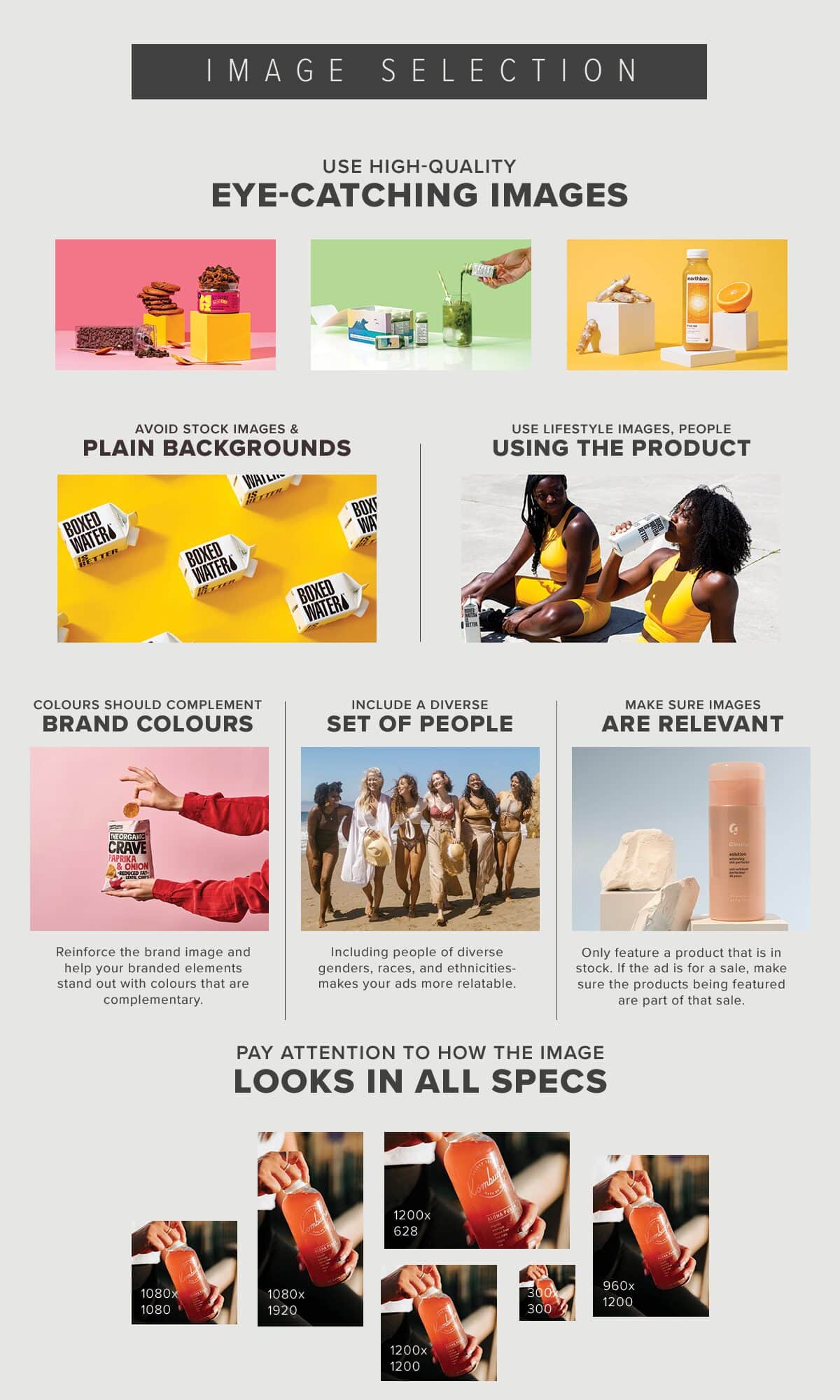
Image Selection Design Guide
3. Text on Image
Depending on what type of ads you’re working on, you might need to add some text to your ads. Make sure copy overlays are concise, bold, and positioned to respect native platform safe zones.
There’s nothing that will drive a customer away faster than a button that leads to nowhere. Ad platforms like Meta Ads Manager will add a clickable button with a CTA underneath your ad so you don’t have to worry about designing one on the graphic.
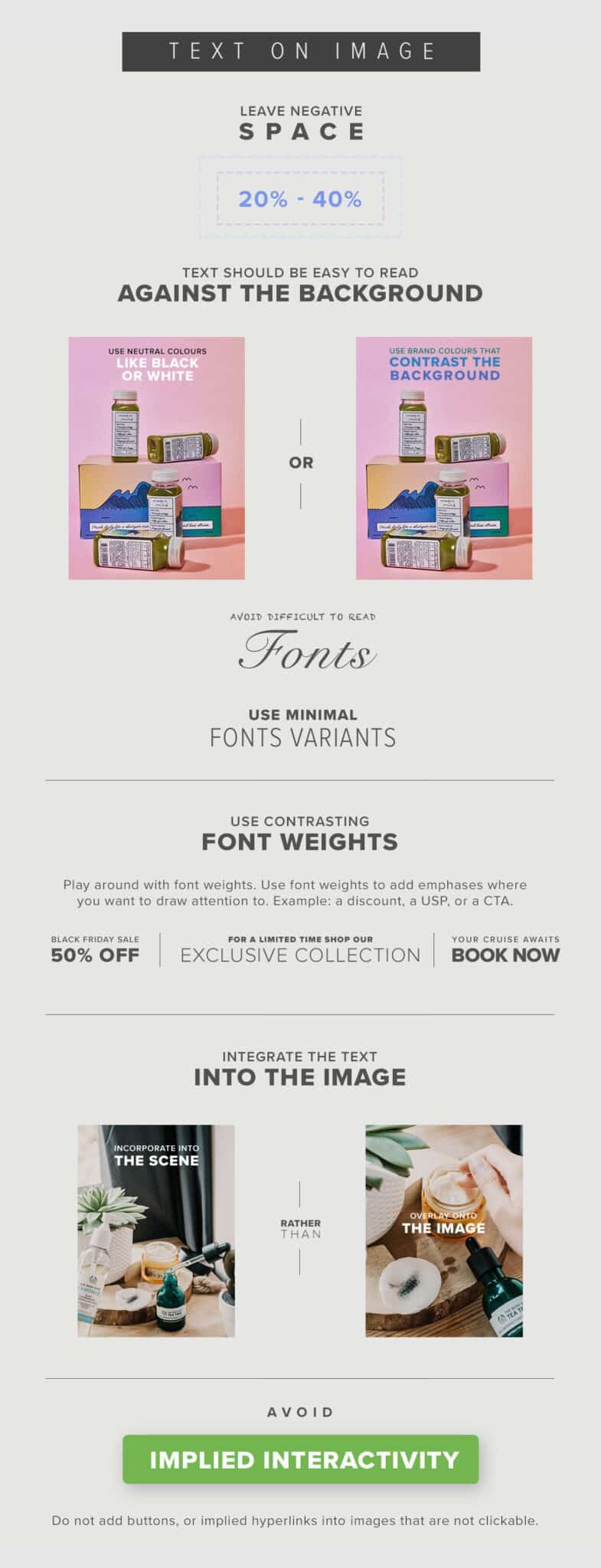
Text on Image Design Guide
4. Graphic Elements & Colour
You can use graphic elements and colours to give your ad an extra boost to help catch the eyes of your customers.
Contrast is king: high-contrast badges, arrows, and subtle borders draw eyes across the creative to your primary value proposition before the user continues scrolling.
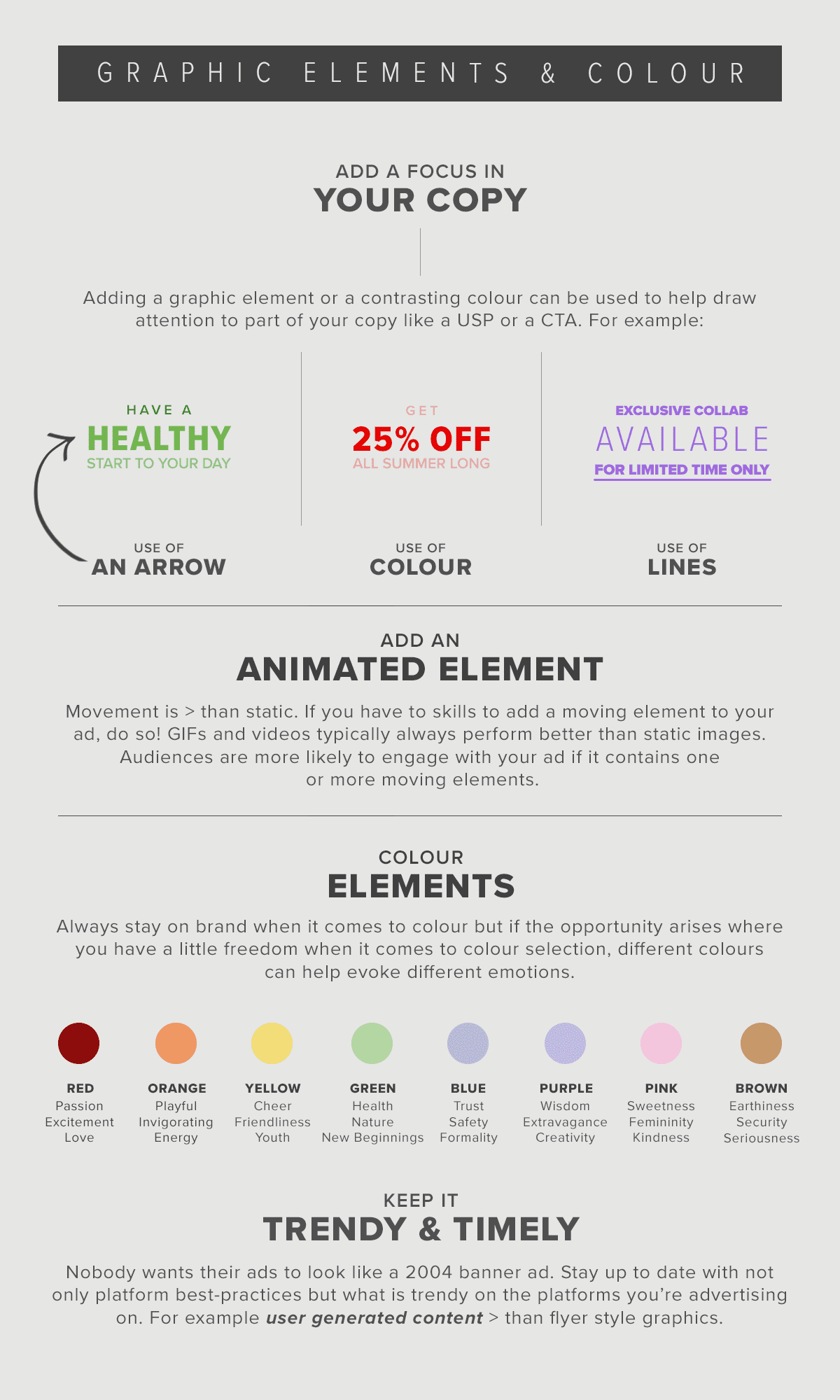
Graphic and Photo Elements Design Guide
5. A/B Testing
Staying up to date with design best practices is essential, but the only way to know which design elements truly resonate with your audience is through continuous testing.
Test variations systematically:
- Same image with different headline hooks.
- Winning headline paired with different visual assets (lifestyle photography vs. product illustration).
- Varying the CTA language and placement.
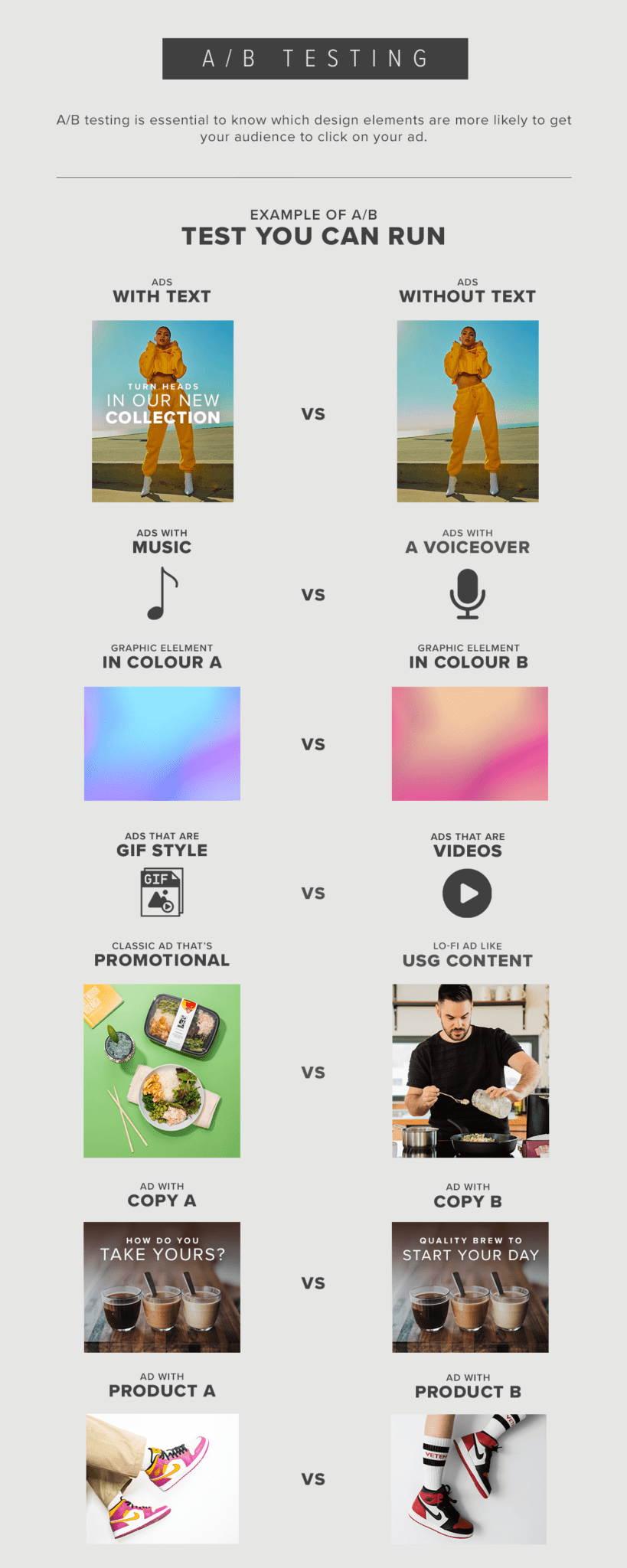
A/B Testing Design Guide
By mastering these five steps, graphic designers can bridge the gap between creative visual artistry and measurable performance marketing.